Web
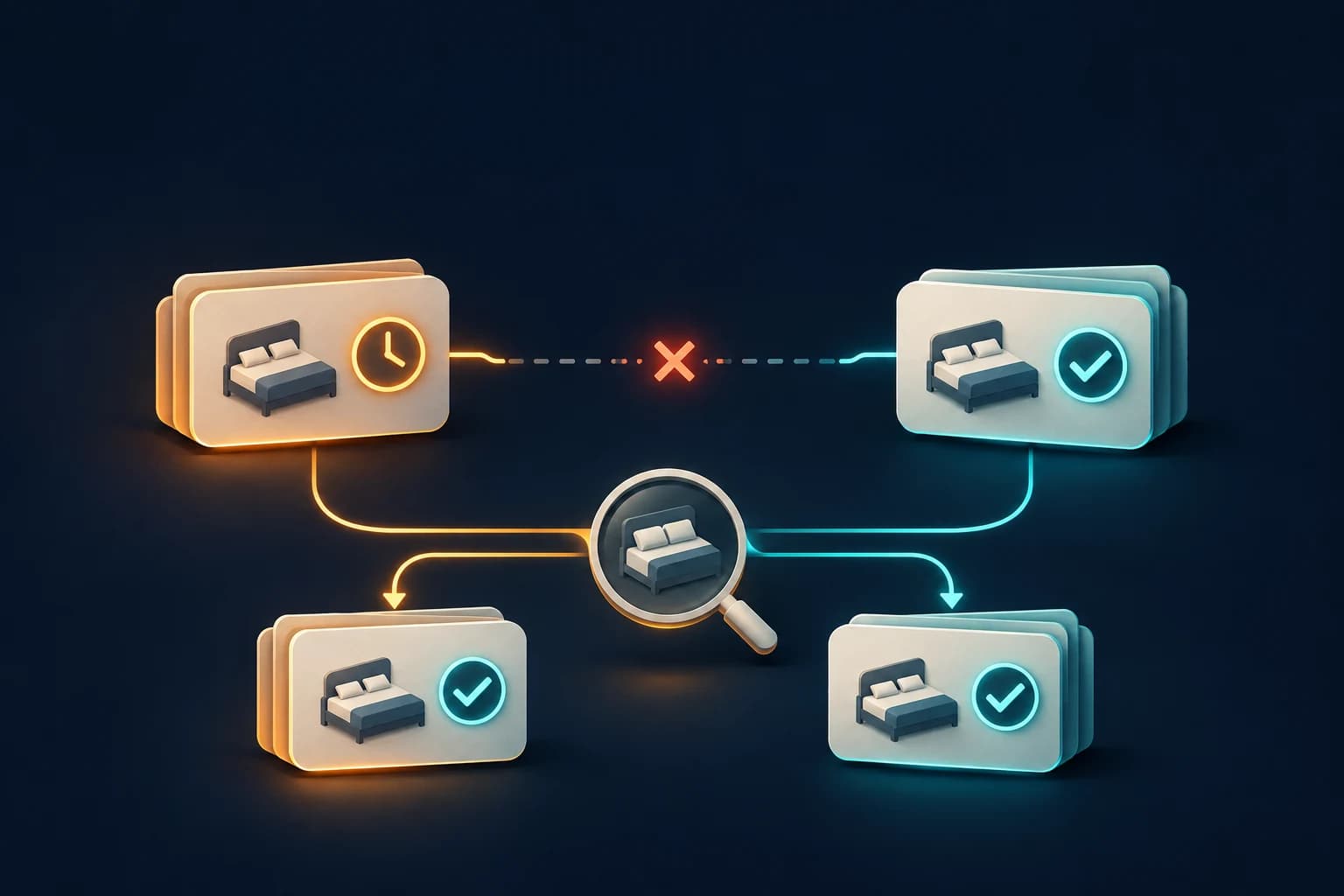
When an order is accepted but your systems disagree
A lost API response can leave one booking with two different stories. Define the evidence, recovery process and support tools before allowing another attempt.
Sparkler Soft19 Nov 20267 min read
A successful live demo shows one response. It does not show whether your application handles missing information, an unsupported result or an old response arriving after a new request.
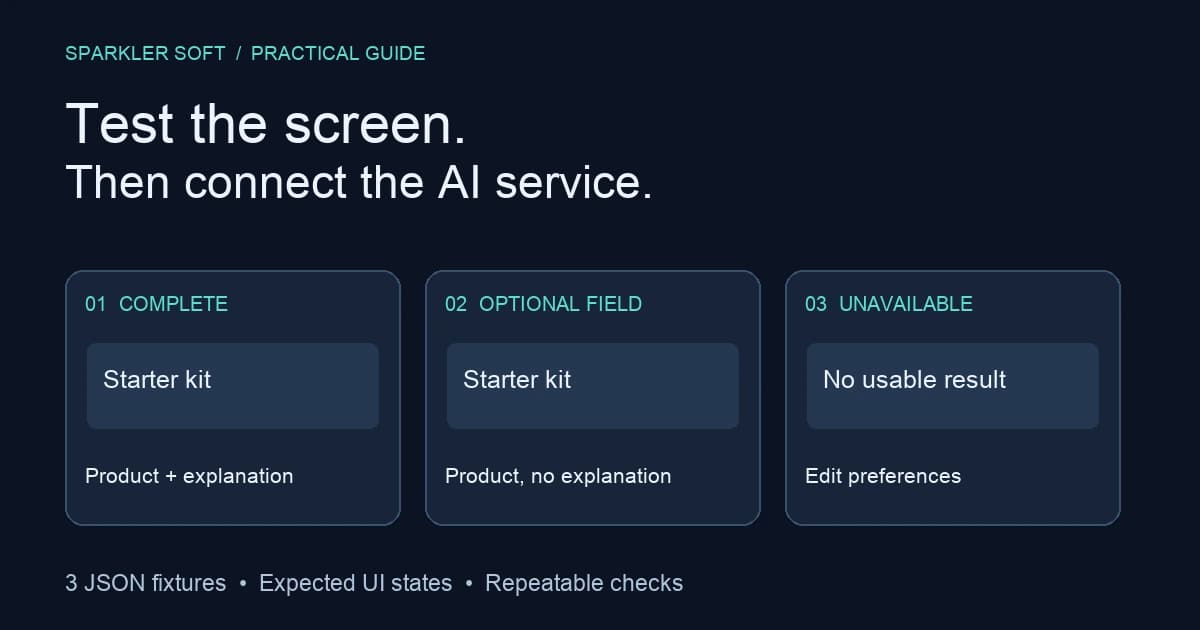
You can review those behaviours before connecting the live AI service. Use fixtures: small, fixed examples of data that the application can load repeatedly.
Here is a practical exercise for a fictional product recommendation app. The contract, products and examples below are invented for illustration. They are not an iHairium specification or a client case.
Keep the interface contract explicit. In this example, an application adapter converts the provider’s response into this internal format:
| Field | Example rule |
|---|---|
| request_id | Identifies the request that produced the result. |
| status | Either ready or unavailable. |
| items | For ready results, a non-empty list of product IDs. Each item may include a reason. |
| message_code | For unavailable results, a code mapped to approved interface copy. |
Product names come from the application’s catalogue. Unknown product IDs must not become empty recommendation cards.
The real provider may use different fields and states. Confirm its documentation and implement the adapter accordingly. Do not invent provider capabilities to match this example.
{
  "request_id": "demo-001",
  "status": "ready",
  "items": [
    {
      "product_id": "starter-kit",
      "reason": "Matches your selected preferences."
    }
  ]
}
Expected screen: the catalogue name “Starter kit”, the supplied explanation and a “View product” action leading to that product.
Check the destination as well as the button label. A convincing result card with the wrong product link still fails the test.
{
  "request_id": "demo-002",
  "status": "ready",
  "items": [
    { "product_id": "starter-kit" }
  ]
}
Expected screen: the same product and action, with the explanation section omitted.
There should be no blank heading, “undefined” text or invented explanation. Missing optional copy should not prevent a usable result from appearing.
{
  "request_id": "demo-003",
  "status": "unavailable",
  "message_code": "NO_USABLE_RESULT",
  "items": []
}
Expected screen: “We couldn’t prepare recommendations from these preferences.” Offer “Edit preferences”, preserving the choices the user already entered.
For this example, editing preferences is the agreed recovery route. Do not assume that sending the same request again will help. A network failure needs its own state and copy; it does not establish that the service found no suitable result.
Add a development-only fixture selector, or replace the application adapter with a test implementation. Both should feed the same result-screen component used by the live integration.
For each fixture:
Keep fixture controls out of the production user journey. Use synthetic data rather than customer records.
Record the result in a small table:
| Scenario | Pass condition |
|---|---|
| Complete result | Correct catalogue item, explanation and destination. |
| Missing reason | Product remains usable; explanation section is absent. |
| Unavailable result | No recommendation cards; editing restores previous choices. |
| Unknown product ID | No broken card or link; the agreed fallback appears. |
The last row is an intentional invalid-data test. Change starter-kit to an ID absent from the catalogue and agree how the application should recover. Do not present this as a documented provider response unless it is one.
Static fixtures do not cover everything. Use a controlled test adapter to delay responses:
The screen should retain B’s result. A late response must not replace it with recommendations for the previous preferences.
Also check loading, a transport error and leaving the screen while a request is pending. Agree whether work continues, is cancelled or is restored on return. These behaviours require explicit product decisions.
Passing fixture checks establishes only that the application handles the examples tested.
Next, verify that the adapter maps real responses correctly, authentication works, documented errors are handled and the supported provider version matches the integration. Use the provider’s test environment where available.
Model quality needs separate evidence: are the recommendations suitable for the intended users and task? A polished screen and passing interface tests cannot answer that question.
The useful output is a small review package:
That package gives product and engineering something concrete to review before a successful live response becomes the only definition of “working”.
Already have an AI service and need the web or mobile product around it? Share the input flow, expected result and main unknowns with Sparkler Soft. We can discuss a bounded integration scope.
Sparkler Soft
Company editorial
Practical guidance on software project planning and working with a development partner.
LinkedIn →A lost API response can leave one booking with two different stories. Define the evidence, recovery process and support tools before allowing another attempt.
Tell us about your project — we'll tell you honestly whether we can help.